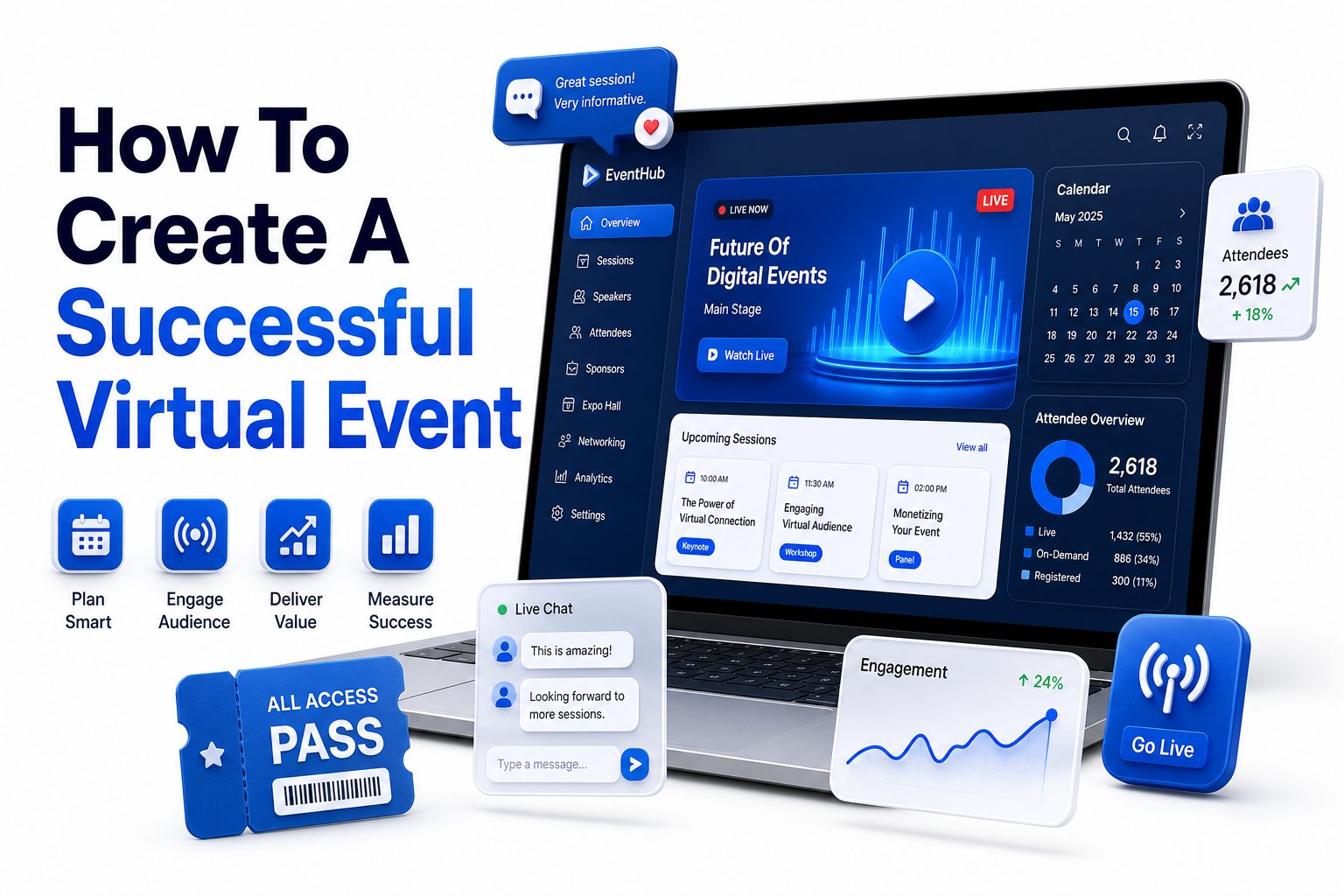
Virtual events have moved far beyond emergency substitutes for in-person meetings. They are now a serious format for conferences, product launches, workshops, networking sessions, fundraisers, internal training, and customer education. Done well, they can reach wider audiences, reduce travel costs, and create measurable results long after the live session ends.
Learning how to create a successful virtual event starts with one basic idea: online attention must be earned. People are joining from busy homes, offices, airports, and shared workspaces. They can leave with one click. That means every decision, from the event goal to the platform, agenda, speaker preparation, and follow-up, needs to protect attention and make participation worthwhile.
A strong virtual event is not just a webinar with a registration form. It is a planned experience with a clear purpose, reliable technology, useful content, and intentional audience interaction. This guide walks through the practical steps that turn an online event into something people attend, value, and remember.
Define the Purpose Before Planning the Format
A successful virtual event begins with a clear business or community goal. You may want to generate leads, educate customers, train employees, build brand authority, launch a product, or create networking opportunities. The goal shapes the agenda, speakers, promotion strategy, and success metrics.
Avoid choosing the format first and forcing the content into it later. A leadership roundtable, product demo, panel discussion, workshop, and virtual summit all serve different needs. When the purpose is specific, the planning process becomes simpler and every decision has a clear standard.
Know the Audience You Want to Attract
Audience research matters because virtual attendees are more selective than ever. They need a clear reason to register, attend live, and stay engaged. Identify their role, experience level, pain points, expectations, and the outcome they want from the session.
For example, a virtual event for first-time founders should feel practical, direct, and action-focused. A senior executive audience may prefer concise insight, credible speakers, and high-value networking. The more accurately you define the audience, the easier it becomes to create content that feels relevant.
Key Planning Points
- Define one primary event goal before choosing speakers or software.
- Build the event around audience needs, not internal preferences.
- Choose a format that supports the outcome you want.
- Set measurable targets for registrations, attendance, engagement, and conversions.
- Keep the attendee experience simple from sign-up to follow-up.
Choose the Right Virtual Event Format
The right format depends on the level of interaction, content depth, and audience size. Webinars work well for education and lead generation. Workshops are better for skill-building. Virtual conferences suit multi-session agendas, while networking events need smaller groups and guided participation.
Do not assume a larger event is automatically more valuable. A focused 60-minute executive briefing can outperform a full-day online conference if the audience is right and the content solves a real problem. Format should support attention, not compete with it.
Build an Agenda That Respects Attention
Online agendas need tighter pacing than in-person events. Long lectures, unclear transitions, and oversized panels quickly drain energy. Plan each session with a defined purpose, a realistic time limit, and a strong reason for attendees to stay until the end.
Break longer programs into manageable sections with short pauses, polls, Q&A, and speaker changes. If the event runs for several hours, create tracks or session choices. Attendees appreciate control, especially when they are balancing the event with work and personal responsibilities.
Virtual Event Format Comparison
Format | Best For | Ideal Length | Engagement Style
Webinar | Education, lead generation, demos | 45-60 minutes | Polls, chat, Q&A
Workshop | Training, skill-building, implementation | 60-120 minutes | Exercises, breakout rooms
Panel Discussion | Expert insight, industry trends | 45-75 minutes | Moderated questions
Virtual Conference | Multi-topic learning, community building | Half-day or full-day | Tracks, networking, live chat
Networking Session | Relationship building, peer discussion | 30-60 minutes | Breakouts, prompts, introductions
Select Reliable Technology and Test It Early
Technology should make participation easier, not more complicated. Choose a virtual event platform based on event size, interactivity, accessibility, analytics, and speaker needs. Popular options include Zoom, Microsoft Teams, Google Meet, Hopin-style platforms, and webinar software with registration features.
Test the platform well before the event. Check audio, video, screen sharing, chat, breakout rooms, captioning, recording, and permissions. Speakers should know how to join, present, mute, answer questions, and handle technical issues without slowing the program.
Prepare Speakers for a Virtual Audience
Great in-person speakers do not always translate well online. Virtual delivery requires stronger pacing, clearer visuals, shorter segments, and more direct audience prompts. Speaker preparation should include timing, slide review, camera positioning, microphone checks, and backup plans.
Encourage speakers to avoid reading slides word for word. Strong virtual presentations use simple visuals, stories, examples, and direct language. A skilled moderator can also help maintain rhythm, manage audience questions, and keep discussions from drifting.
Speaker Preparation Checklist
- Confirm each speaker’s role, topic, and time limit.
- Schedule a rehearsal at least several days before the event.
- Test microphones, cameras, lighting, and internet stability.
- Review slides for readability on small screens.
- Prepare backup contact details and alternate dial-in options.
- Assign a moderator to manage timing and audience questions.
Create Content That Solves a Real Problem
People attend virtual events because they expect useful information, not broad commentary. Each session should answer a specific need, challenge, or opportunity. Practical examples, data, case studies, demos, and frameworks usually perform better than abstract talking points.
If your topic is how to create a successful virtual event, for instance, the content should move beyond general planning advice. It should show what to do before, during, and after the event, including examples of agenda design, engagement methods, and follow-up workflows.
Use Strong Titles and Session Descriptions
Event titles and session descriptions influence registration more than many organizers realize. A clear title should state the value quickly. Avoid clever wording that hides the benefit. People should know who the event is for and what they will gain.
Session descriptions should be specific, concise, and outcome-led. Instead of saying a speaker will talk about industry trends, explain what attendees will learn or be able to apply. Strong copy improves both search visibility and conversion from visitor to registrant.
Content Quality Tips
- Focus each session on one clear attendee outcome.
- Use examples, demonstrations, and practical takeaways.
- Keep slides clean, readable, and visually restrained.
- Avoid overloading the agenda with too many speakers.
- Give attendees something useful to apply after the event.
- Link related resources such as [Internal Link: Virtual Event Marketing Strategy] where they add value.
Promote the Event With a Clear Message
Promotion should begin as soon as the event promise is ready. Build a simple message around the audience, problem, value, date, and reason to attend live. Use email, social media, partner channels, website banners, paid ads, and speaker promotion where appropriate.
The best promotional campaigns do not repeat the same announcement. They highlight different angles over time, such as speaker credibility, session outcomes, audience pain points, limited seats, bonus resources, or networking value. Repetition works better when each message gives people a fresh reason to care.
Optimize the Registration Page
Your registration page has one job: turn interest into sign-ups. Keep the page focused on the event value, date, time zone, speakers, agenda, and who should attend. Remove distractions that do not support registration.
Use a short form unless you have a strong reason to collect extra details. Long forms can reduce sign-ups, especially for free events. If lead qualification matters, ask only the fields your team will actually use after the event.
Promotion Checklist
- Create a clear event title and short value statement.
- Build a focused landing page with date, time, agenda, and speakers.
- Send multiple email reminders before the event.
- Give speakers and partners ready-to-use promotional copy.
- Add the event to relevant website pages and resource hubs.
- Use UTM links to track which channels drive registrations.
- Include a related resource such as [Internal Link: Event Promotion Checklist].
Send Reminders That Improve Attendance
Registration is only the first step. Many virtual events lose attendees between sign-up and showtime because reminders are weak or poorly timed. Send confirmation emails immediately, then reminders a week before, a day before, and shortly before the event starts.
Reminder emails should repeat the value, not just the calendar details. Include the access link, time zone, agenda highlights, and any preparation steps. For workshops, tell attendees what to bring or complete beforehand so they arrive ready to participate.
Design Engagement Into the Event
Engagement should be planned into the agenda, not added as an afterthought. Use polls, chat prompts, Q&A, breakout rooms, quizzes, worksheets, and live reactions when they support the session goal. Interaction should feel useful, not distracting.
A good moderator can make a major difference. They can welcome attendees, explain how to participate, collect questions, manage transitions, and keep the event moving. Without moderation, even strong content can feel flat or disorganized online.
Engagement Ideas That Work
- Open with a simple chat prompt tied to the topic.
- Use polls to gather audience context before a key point.
- Reserve time for live Q&A after major sections.
- Add breakout rooms only when discussion has a clear purpose.
- Share downloadable resources during or after the session.
- Use audience questions to shape part of the discussion.
- Invite attendees to choose between two closing topics.
Keep Production Simple but Professional
Professional production does not require a broadcast studio, but it does require attention to basics. Clear audio, stable internet, good lighting, organized slides, and smooth transitions matter more than elaborate effects. Most attendees forgive simple visuals faster than bad sound.
Assign behind-the-scenes roles for larger events. One person should manage speakers, another should handle chat or Q&A, and another should monitor technical issues. When roles are clear, problems are easier to solve without interrupting the attendee experience.
Plan for Accessibility and Inclusion
Accessibility should be part of the planning process from the beginning. Captions, readable slides, clear audio, keyboard-friendly platforms, and shared materials help more people participate. They also improve the overall quality of the event for everyone.
Consider time zones, language clarity, and different levels of familiarity with the topic. Avoid assuming every attendee has the same context or bandwidth. Recording the event and sharing materials afterward can help people who cannot attend live.
Production and Accessibility Essentials
Area | Best Practice | Why It Matters
Audio | Use external microphones when possible | Clear sound keeps people engaged
Video | Use stable framing and good lighting | Speakers appear more credible
Slides | Use large text and simple layouts | Attendees may watch on small screens
Captions | Enable live captions or transcripts | More people can follow the content
Support | Assign a technical contact | Issues are handled faster
Recording | Share replay access after the event | Extends event value beyond live attendance
Create a Smooth Opening and Closing
The first few minutes set the tone. Start on time, welcome attendees, explain how to use chat or Q&A, and preview what they will gain. Avoid long housekeeping announcements that delay the value people came for.
The closing matters just as much. Summarize the key takeaways, tell attendees what happens next, and make the call to action clear. Whether you want people to book a demo, download a resource, join a community, or register for another event, say it plainly.
Use Data to Measure Success
Virtual event platforms provide valuable data, but numbers only matter when tied to goals. Track registration sources, attendance rate, watch time, engagement, questions, poll responses, replay views, and post-event conversions. These metrics show what worked and what needs adjustment.
For lead generation events, connect attendance data to your CRM or sales process. For internal events, measure participation and feedback. For educational events, look at resource downloads, survey responses, and repeat attendance. Good measurement turns one event into a better next event.
Metrics to Track After the Event
- Registration count and source by channel.
- Live attendance rate compared with total registrations.
- Average watch time and drop-off points.
- Chat activity, questions, poll responses, and downloads.
- Replay views in the days after the event.
- Leads, demo requests, sales conversations, or other conversions.
- Attendee satisfaction scores and written feedback.
Follow Up While Interest Is Fresh
Post-event follow-up should happen quickly, ideally within 24 hours. Send the recording, slides, promised resources, and a brief summary of key takeaways. For people who attended live, acknowledge their participation and give a relevant next step.
Segment follow-up based on behavior when possible. Attendees, no-shows, highly engaged participants, and sales-ready leads should not all receive the same message. Better segmentation makes follow-up more useful and improves conversion without feeling pushy.
Repurpose the Event Content
A strong virtual event can fuel content for weeks or months. Turn the recording into short clips, blog posts, quote graphics, email snippets, sales enablement assets, social posts, and downloadable guides. This extends the return on the time spent planning and producing the event.
Repurposing also supports SEO. A transcript can become a search-friendly article, while session highlights can answer specific audience questions. When the content is genuinely useful, it can attract traffic long after the live event ends.
Post-Event Content Ideas
- Publish a recap blog post with key takeaways.
- Create short social clips from high-value moments.
- Turn audience questions into future FAQ content.
- Share speaker quotes in email and social campaigns.
- Build a downloadable checklist from the session.
- Add the replay to a resource library.
- Use attendee feedback to plan the next event topic.
Avoid Common Virtual Event Mistakes
One common mistake is treating a virtual event like a meeting with a larger invite list. Without clear structure, energy, and moderation, attendees can lose interest quickly. Every part of the event should have a defined purpose and a clear owner.
Another mistake is underestimating rehearsal. Many avoidable problems happen because speakers did not test their setup, organizers did not check permissions, or transitions were unclear. A short rehearsal can prevent awkward delays and protect the audience experience.
Build a Repeatable Event Process
One strong event is useful, but a repeatable process creates long-term value. Document your planning timeline, promotional channels, speaker checklist, technical setup, run-of-show, follow-up templates, and reporting format. This makes future events faster and more consistent.
A repeatable process also helps teams improve. After each event, review what changed registration, attendance, engagement, and conversion. Keep what worked, remove what did not, and refine the details. That is how virtual events become a reliable marketing or education channel.
Common Mistakes to Avoid
- Planning the agenda before defining the event goal.
- Choosing a platform without testing key features.
- Making sessions too long for an online audience.
- Using slides with too much small text.
- Skipping speaker rehearsal.
- Sending weak reminders after registration.
- Ending without a clear next step.
- Treating all post-event leads the same.
Conclusion
Creating a strong online event comes down to thoughtful planning, useful content, reliable delivery, and timely follow-up. The best results happen when every decision supports the audience’s reason for attending. Clear goals, sharp messaging, prepared speakers, and purposeful engagement make the difference between a forgettable online session and an event people value.
If you want to know how to create a successful virtual event, start by narrowing the purpose, defining the audience, and choosing a format that fits both. Then build a focused agenda, promote it with a clear promise, test the technology, and follow up while interest is still fresh. Over time, each event should teach you something about your audience, your content, and your process. Use that insight to improve the next one, and virtual events can become a dependable part of your marketing, training, or community strategy.
FAQ
How long should a virtual event be?
Most webinars work well at 45 to 60 minutes. Workshops may need 60 to 120 minutes. Longer events should include breaks, varied formats, and clear session choices to help attendees stay focused.
What is the best platform for a virtual event?
The best platform depends on your audience size, interaction needs, budget, and reporting requirements. Choose software that supports registration, reliable streaming, chat, Q&A, recording, analytics, and any accessibility features your audience needs.
How do I keep virtual attendees engaged?
Plan engagement before the event starts. Use polls, chat prompts, Q&A, short activities, and clear moderator guidance. Keep sessions focused and avoid long blocks of one-way presentation without audience involvement.
When should I start promoting a virtual event?
Start promotion two to four weeks ahead for most smaller events. Larger conferences may need six to eight weeks or more. Send reminders consistently and vary the message to highlight different reasons to attend.
What should I send after a virtual event?
Send the recording, slides, useful resources, and a short summary within 24 hours. Segment follow-up when possible so attendees, no-shows, and high-interest leads receive messages that match their behavior.
0 Comments